On This Page
pilot
Enabling Click to Pay in the Smartpay Fuse Portal
Click to Pay
in the Smartpay Fuse Portal
To begin your integration, you must first enable
Click to Pay
.
Click to Pay
is a digital payment solution that allows customers
to pay with their preferred card network and issuer without entering their card details
on every website. Customers can use Visa, Mastercard, and American Express cards to
streamline their purchase experience. Click to Pay
provides a fast,
secure, and consistent checkout experience across devices and browsers.Follow these
steps to enable in
Click to Pay
on Unified Checkout
:- Log in to theSmartpay Fuse Portal:Production URL:If you are unable to access this page, contact your sales representative.
- In theSmartpay Fuse Portal, go to the left navigation panel and choosePayment Configuration>Unified Checkout. TheUnified Checkoutcustomer experience page appears:
Figure:
Unified CheckoutCustomer Experience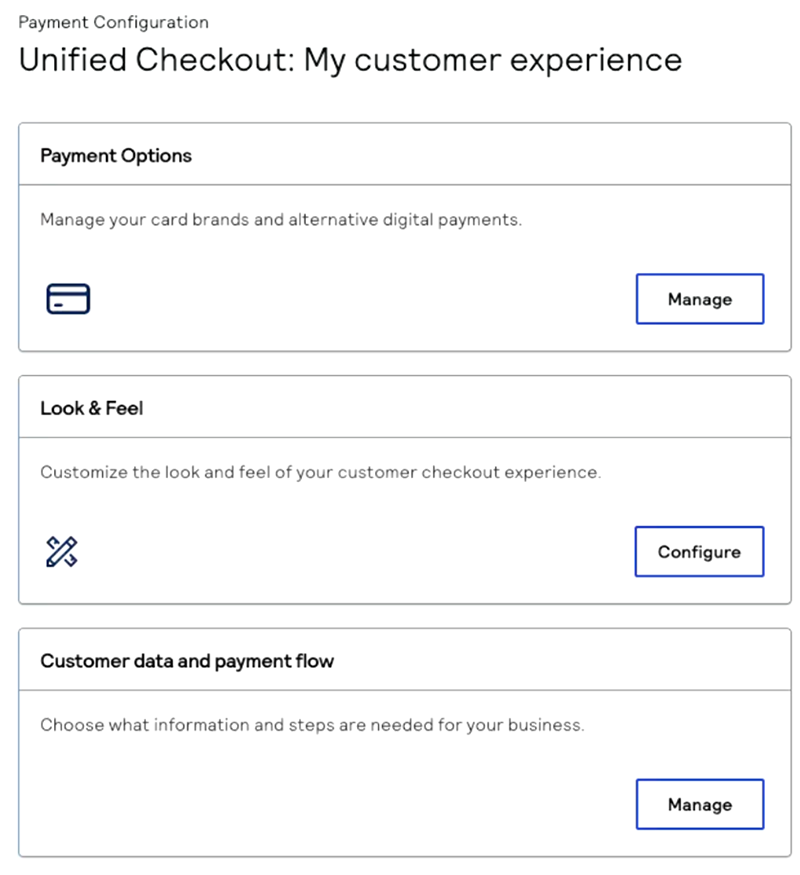
- In the Payment Options section, clickManage. The Payment Options page appears.
- ClickManagenext toClick to Pay. TheClick to Payconfiguration page appears.
- Enter your business name and website URL.
- ClickSubmit.IMPORTANTClick to Payuses network tokenization for transactions. These network tokens are stored in the vault of the token requestor ID (TRID) for the card scheme.